Everything Menu does

See how it works, step by step.

Every video is the real app, recorded on Nodo Café, our sample menu. Everything is optional and you can change it whenever you want.

Choose how your menu looks

Two menus, pick the one that fits your place.

Classic, like a well-designed printed menu. Or visual, with every dish in full screen, like on your social media. Switch whenever you want, without losing anything.
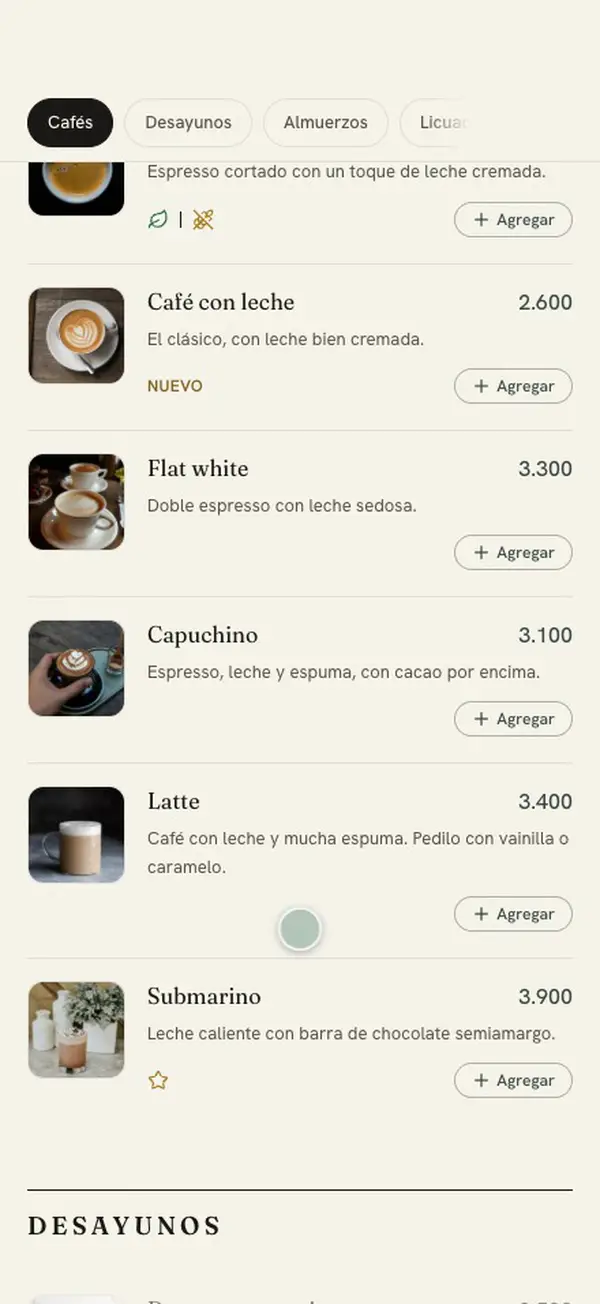
Like a printed menu

For the restaurant, the grill or the neighborhood tavern: it reads top to bottom.
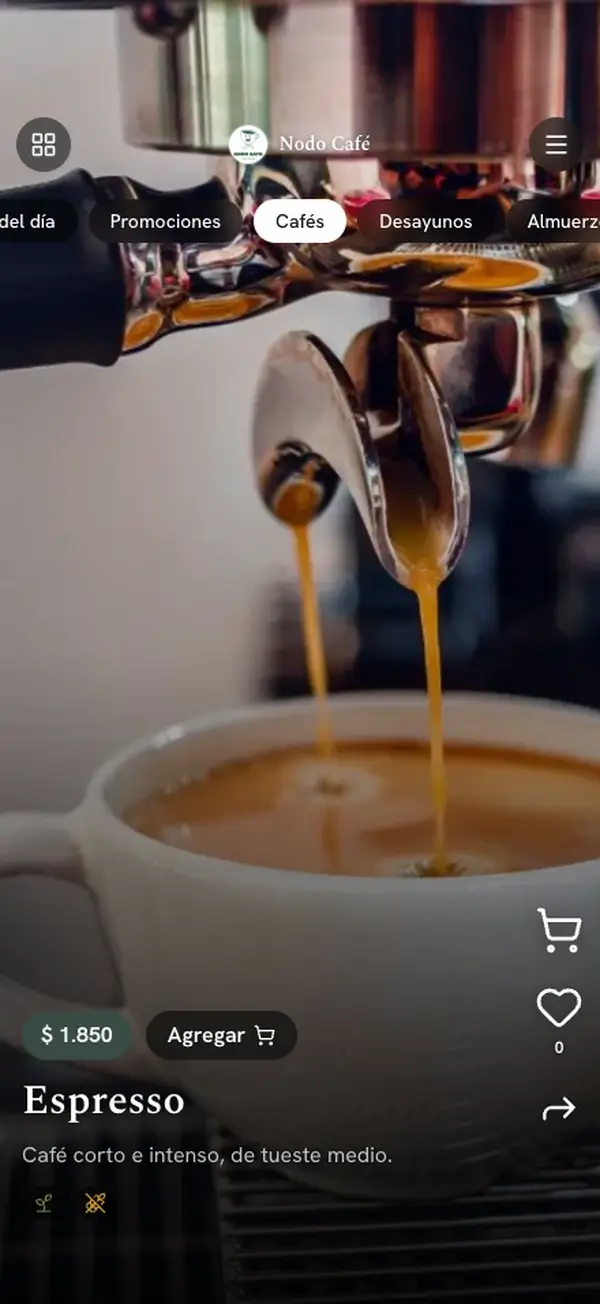
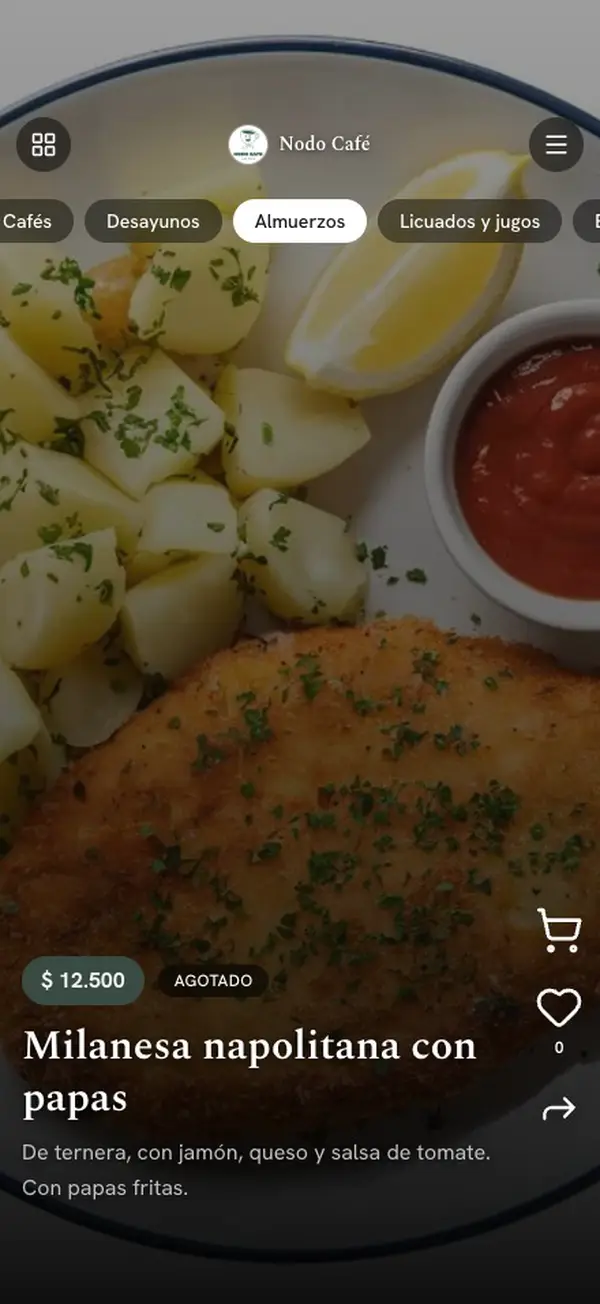
Like your social media

For the café, the burger joint or the bar: you choose with your eyes.

Video: the same Nodo Café menu on two phones. In the classic one, it opens on the cover, scrolls down through the coffees and jumps to the breakfasts. In the visual one, today’s menu plays like a story, swipes dish by dish in full screen and opens the grid of dishes.

Want to try it yourself?

At the table

What your customer sees as soon as they scan.
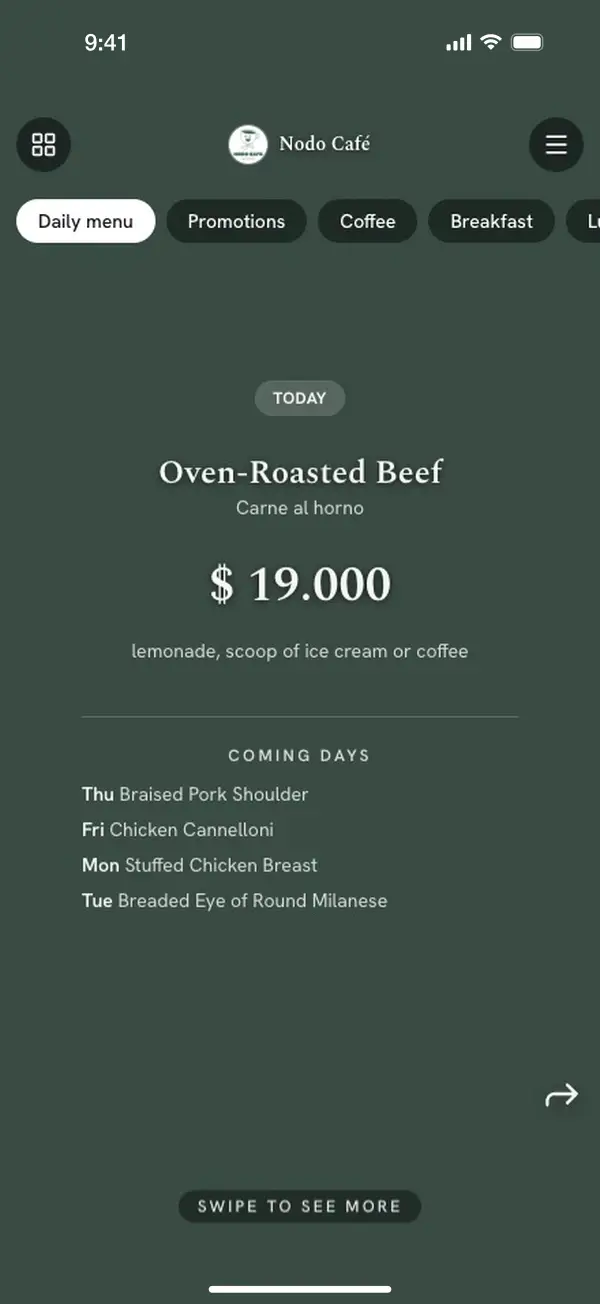
Video: a phone set to English opens the Nodo Café menu, which shows up in English on its own with the Spanish name underneath. Then it copies the Wi-Fi password and enlarges the QR to connect, and at the end the button to leave a Google review appears.

Your day to day

What you change yourself, from your phone.
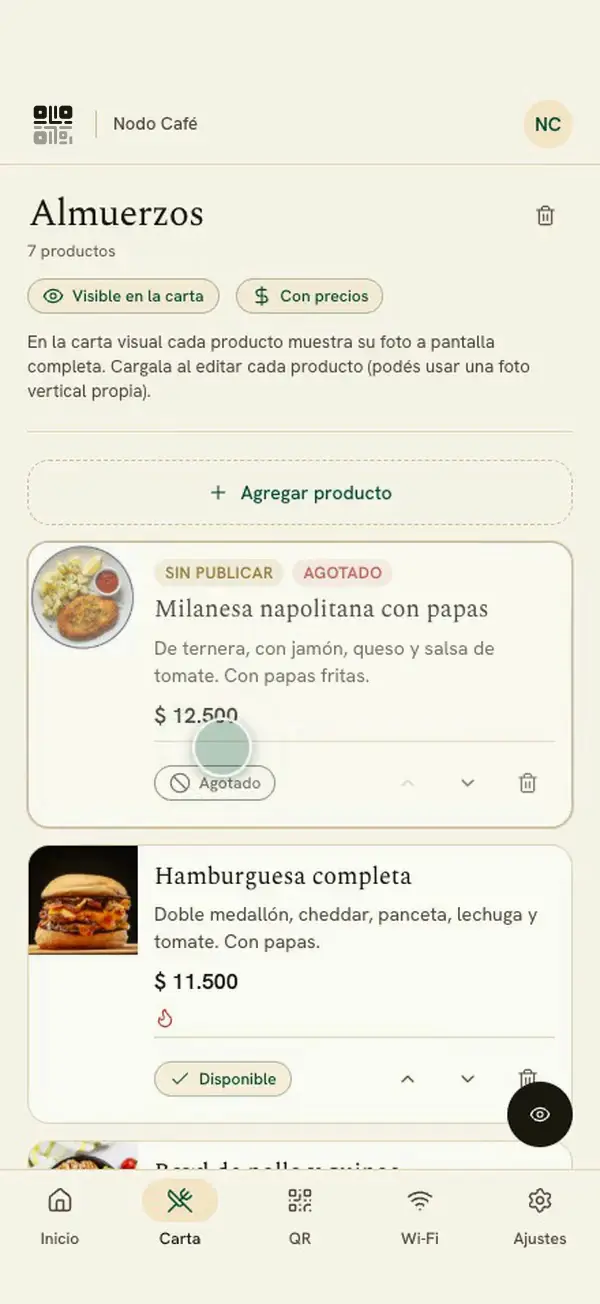
Video: the owner’s dashboard and the customer’s phone, side by side. The owner marks the milanesa as sold out and publishes, and the customer sees it as “Sold out”. They change today’s menu dish and the customer sees it right at the top. They add a promo and it shows up highlighted on the cover.

Everything is switched on only if you use it. Otherwise, it doesn’t show up.

Salix works for you

Salix does the heavy lifting; you review.
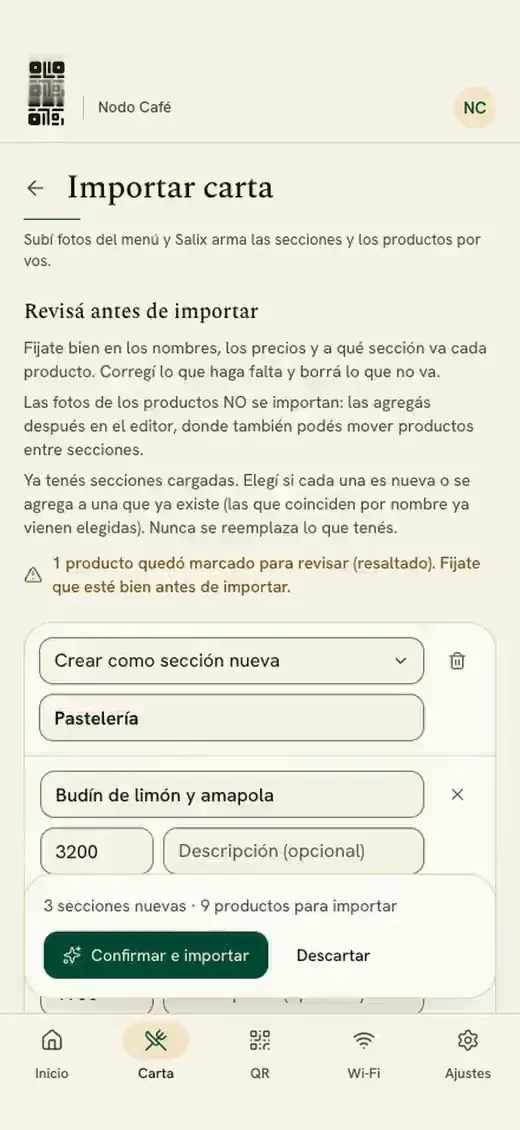
Video: the owner picks the photo of their paper menu from their gallery and taps “Read with Salix”. They review the sections, dishes and prices, and import them. Then Salix translates the menu into English, and the owner uploads a photo of a dish and frames it with their fingers.

Your brand

How your menu looks, your way.
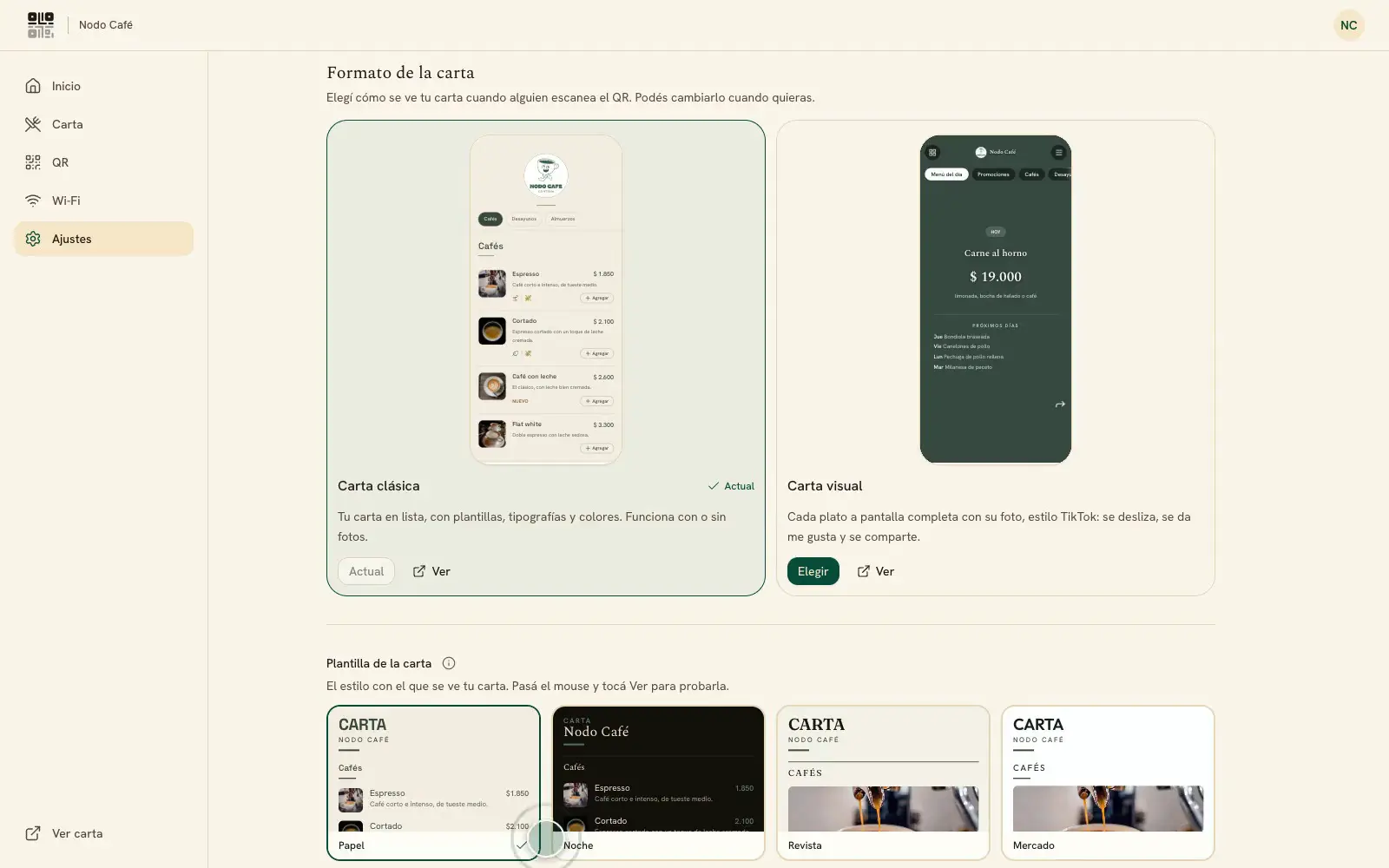
Video: on the desktop dashboard, the owner switches the menu from visual to classic, picks the Paper template and the Editorial font, and goes back to visual. The preview changes with every choice.
Max plan

Know how many people are looking.

How many people open your menu and your Wi-Fi, day by day and month by month. No personal data.
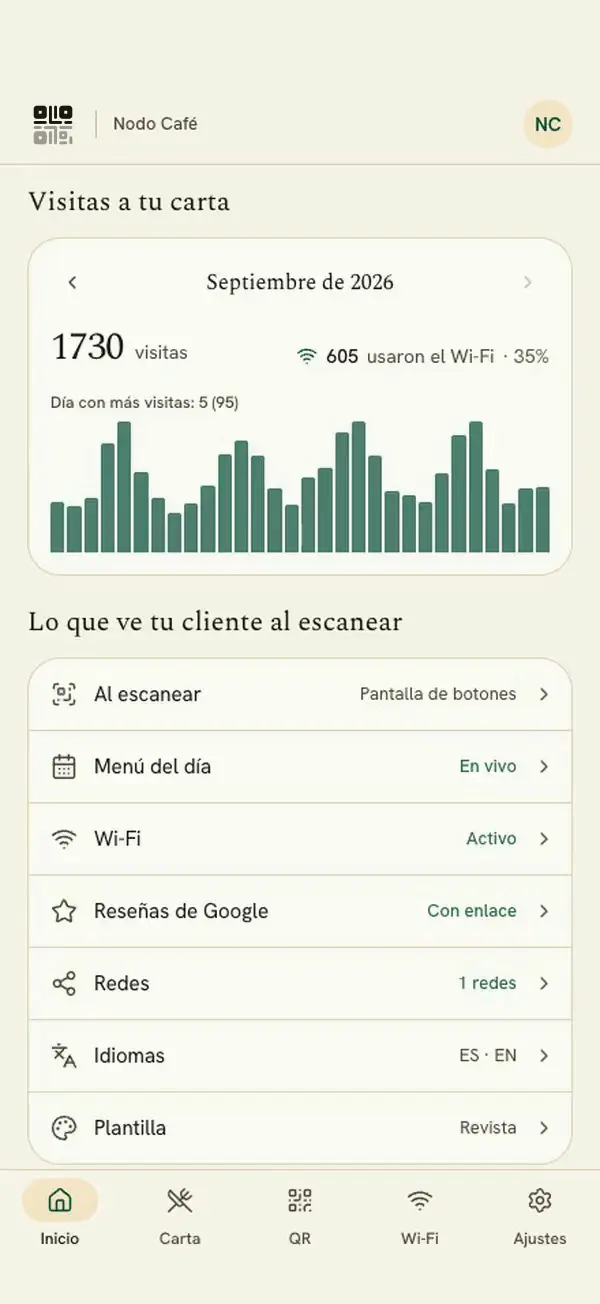
Video: on the phone dashboard, the “Visits to your menu” card shows how many people opened the menu this month and how many used the Wi-Fi. A finger runs along the chart day by day and moves to the previous month.

Your team

Add someone by email or WhatsApp: they edit and publish the menu with their own access. Settings and Wi-Fi stay with you.

And also

  • Manage it from anywhere
  • Install it as an app, no store needed
  • Sign in with your fingerprint or your face
  • Update all your prices at once, with a preview
  • Menu picks up the colors of your logo
Coming soon

What's next: a menu that sells and brings them back.

We're preparing four features so your menu can also sell, answer and bring your customers back. They're not available yet — we'll let you know when they arrive.

NC

Nodo Café

online

Today
Message
An example of what's coming: Nodo Café sends its menu to a customer on WhatsApp, the customer sends their order and gets a link to pay it with Mercado Pago.

Let me know when it's ready

Leave your email or WhatsApp and we'll tell you as soon as the one you care about is ready.

What you're interested in

We'll only use it to let you know about this. Privacy

Ready for your digital menu?

Build your menu with no card. When you publish it, 30 days free.

Create your menu for free