Make your menu look as good as your food.
Classic or social-media style, in your customer’s language, with your Wi-Fi and your reviews on the same QR. And the QR never changes.
- No card needed to build it
- 30 days free once you publish
- The QR never changes
- Cancel anytime
 Secure payments with Mercado Pago
Two menus, pick the one that fits your place.
Classic, like a well-designed printed menu. Or visual, with every dish in full screen, like on your social media. Switch whenever you want, without losing anything.
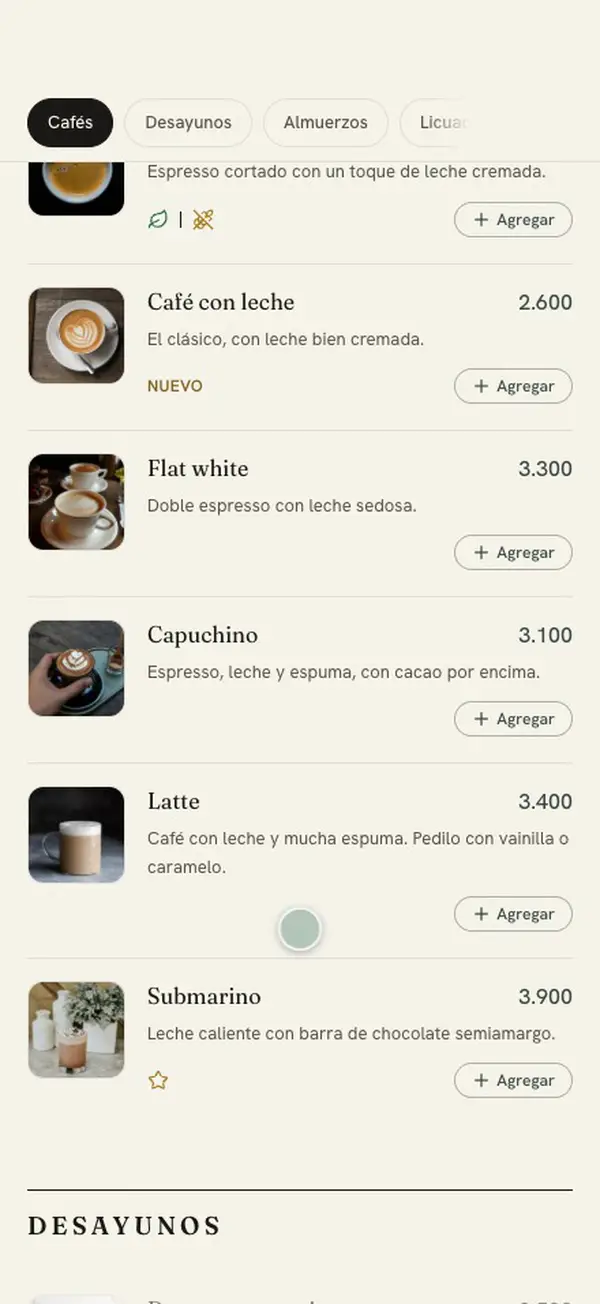
Like a printed menu
For the restaurant, the grill or the neighborhood tavern: it reads top to bottom.
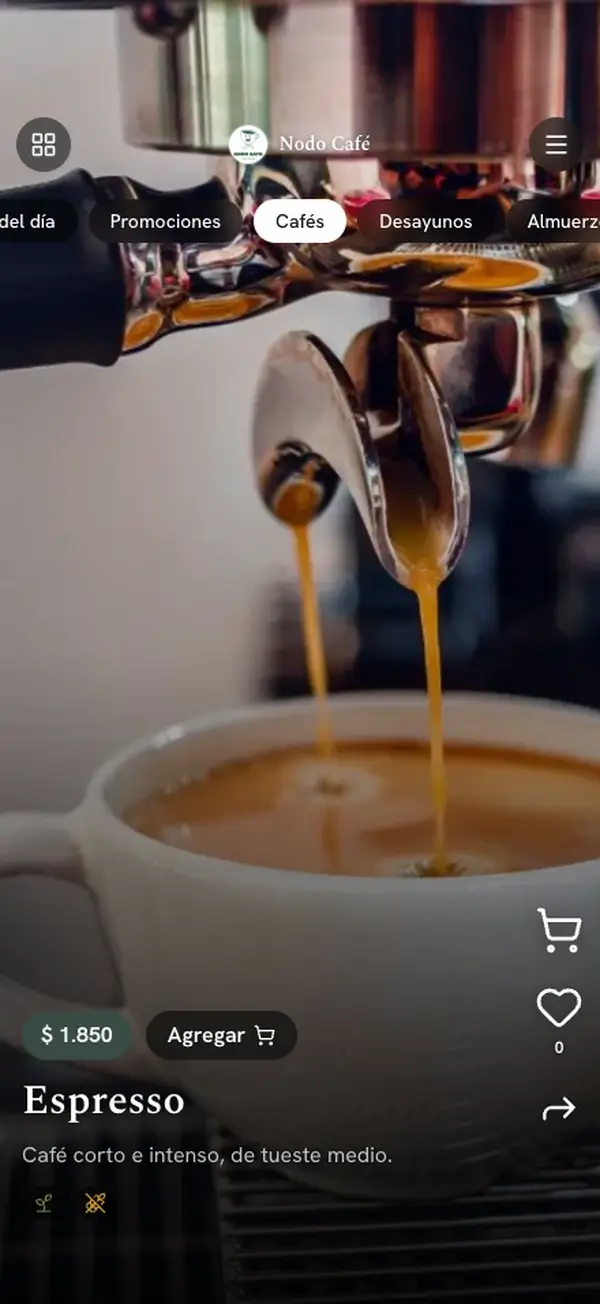
Like your social media
For the café, the burger joint or the bar: you choose with your eyes.
Like your social media
For the café, the burger joint or the bar: you choose with your eyes.
Want to try it yourself?
Everything they look for, in a single QR.
In their language, no taps needed
If their phone is in English, the menu opens in English. Your language stays underneath, small, for the waitstaff.
Wi-Fi in one tap
They copy the password or scan to connect. If you change the password, the sign still works.
Your reviews and your social media
A button to rate you on Google and your social media at hand. Turn them on whenever you want.
Your menu changes when your day does.
Change a price and publish
The next guest who opens the menu already sees it. The printed QR stays the same.
Mark what ran out
You don’t delete it: it stays as “Sold out” until it’s back.
Today’s menu, right at the top
Load the week once and each day shows only its own, highlighted as “Today”.
Your promos, front and center
Combos and deals with a photo, highlighted on your menu’s cover and as a story in the visual one.
Everything is switched on only if you use it. Otherwise, it doesn’t show up.
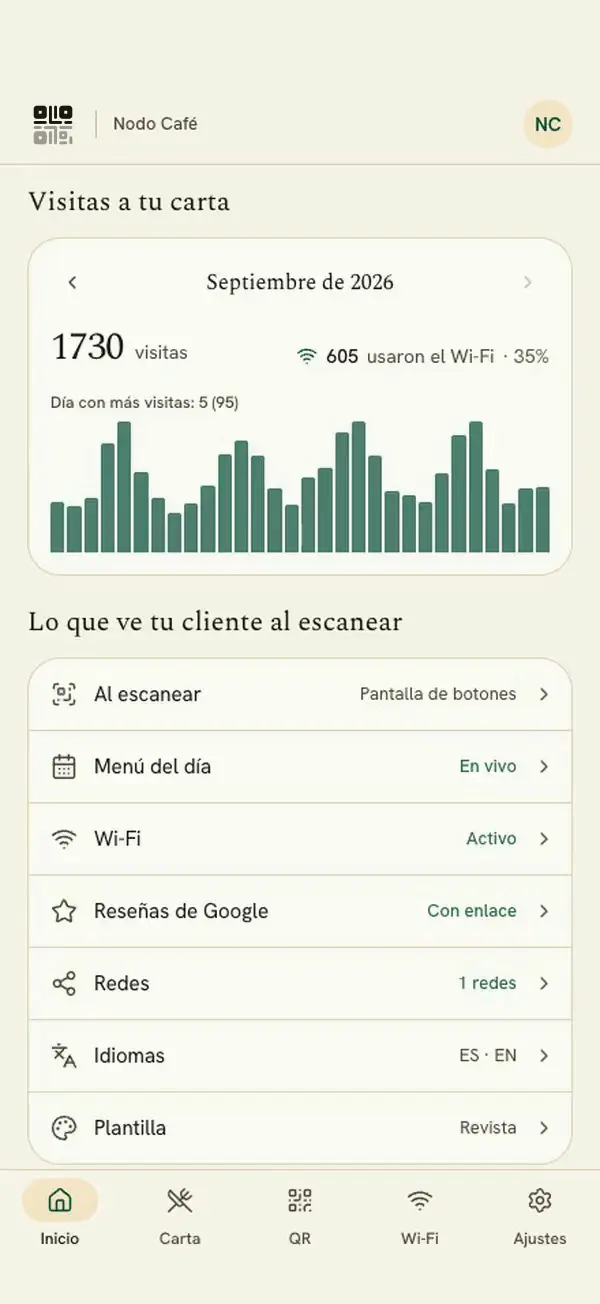
Know how many people are looking.
How many people open your menu and your Wi-Fi, day by day and month by month. No personal data.
Salix does the heavy lifting.
Snap a photo of your paper menu and Salix reads it; then it translates it. You review everything before publishing.
See everything it doesIn three steps.
Create your account
Free and no card, in one minute.
Add your menu
By hand or with a photo of your paper one.
Publish and print your QR
Just once. You can change everything else whenever you want.
Frequently asked questions
Does the QR change if I update the menu?
No. The QR is always the same: change prices, dishes and photos whenever you want, no need to reprint anything.
Do I need to install an app?
No. Your customers scan the QR and see the menu right in their phone’s browser, without downloading anything. You manage it from any device.
Do I have to enter the menu by hand?
Not at all. Snap a photo of your paper menu or upload a PDF, Salix reads the sections, dishes and prices, and you review before loading it. You upload the dish photos yourself.
How does the free trial work?
You build your menu for 14 days, free and with no card. To publish it you add your card and get 30 days free. If you don’t continue after that, the menu is paused and nothing is deleted.
How do I pay?
Through Mercado Pago, in pesos. Plans are priced in dollars and charged at the day’s exchange rate; you choose Pro or Max, monthly or yearly.
Is it only for restaurants?
No. It works for bars, cafés, restaurants and eateries: anyone who wants to show their menu with a QR or share it on WhatsApp.
How many languages can it show?
Up to six: Spanish, English, Portuguese, French, Italian and German. Pro includes your language plus one more; Max, all six.
Can my customers order from the menu?
Not yet, but it’s on the way for the Max plan: orders on WhatsApp paid with Mercado Pago. Today, if you turn it on, they can build “My selection”, a list on their phone to show the waiter.
Your menu, ready today.
Build it for free, no card. When you publish it, 30 days free.
Create your menu for free